
1. Create your catalog
Add products manually, import a list, scan items or let AI prepare descriptions and images so the customer store looks ready from day one.
Operating flow
Insylo AI is built around the real daily rhythm of a local business: upload products, sell from counter and QR, collect payment, track stock, bring customers back and let AI prepare the next growth action.
10 min
to launch a basic QR storefront
3 flows
retail, wholesale and counter billing
1 view
for orders, sales and inventory
Add products manually, import a list, scan items or let AI prepare descriptions and images so the customer store looks ready from day one.
Use separate QR codes for retail orders, wholesale bulk orders, menu ordering or reviews depending on your business type.
Customers open a fast mobile storefront, search products, add to cart, choose pickup or delivery and confirm order details.
UPI goes directly to the owner. Insylo records status, bill details, order history and customer context.
Orders land in the dashboard. Staff can accept, prepare, mark ready, complete sales and keep stock movement visible.
Quick bill, receipts, GST-ready documents, udhaar and WhatsApp payment reminders all connect to the same business record.
Previous orders, loyalty, WhatsApp campaigns and review flows help every sale become the start of the next visit.
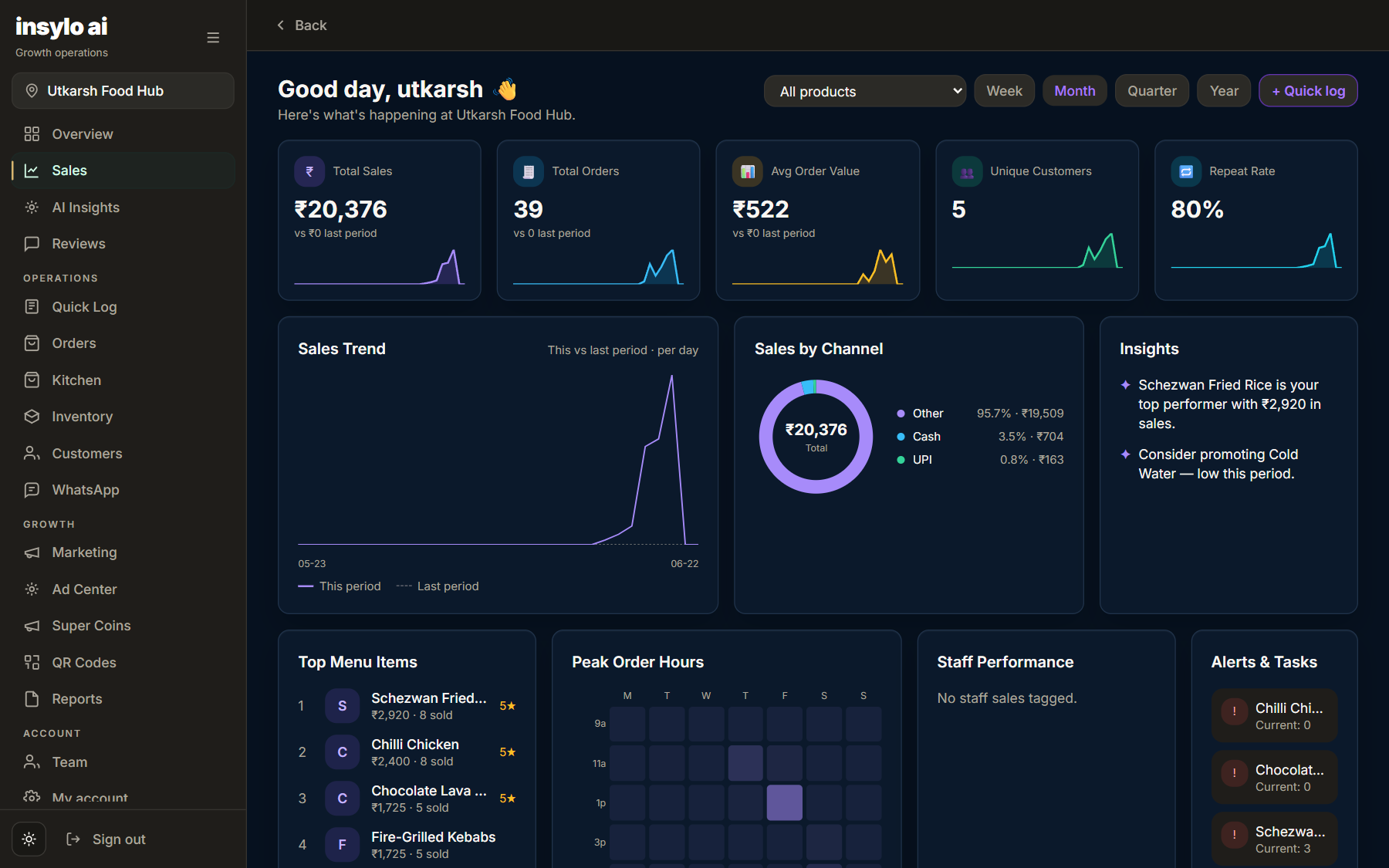
Sales, products, inventory, channels and reviews turn into clear dashboards the owner can understand quickly.
The AI cofounder suggests offers, campaigns, product pushes and operational fixes based on what is actually happening.
Detailed flow
Each page explains the real business workflow, so visitors do not land on an empty section or a generic anchor.
Business type, address, UPI, logo and catalog define the customer experience and dashboard modules.
Retail, wholesale, menu, review and payment QR flows point to separate purpose-built pages.
Sell, bill, track stock, manage udhaar, fulfill orders, message customers and review performance.
The cofounder recommends what to sell, whom to message, which stock to push and how to recover slow days.
Ready for local businesses
The nav now feels like a polished product site: fixed top panel, separate pages, clear information, and direct conversion paths.