Table-specific QR codes
Identify the table automatically and attach each order to the correct service context.
QR menu ordering
Customers scan, browse dishes, add items, place a table or takeaway order and follow preparation status. Owners see new orders in the order and kitchen boards.
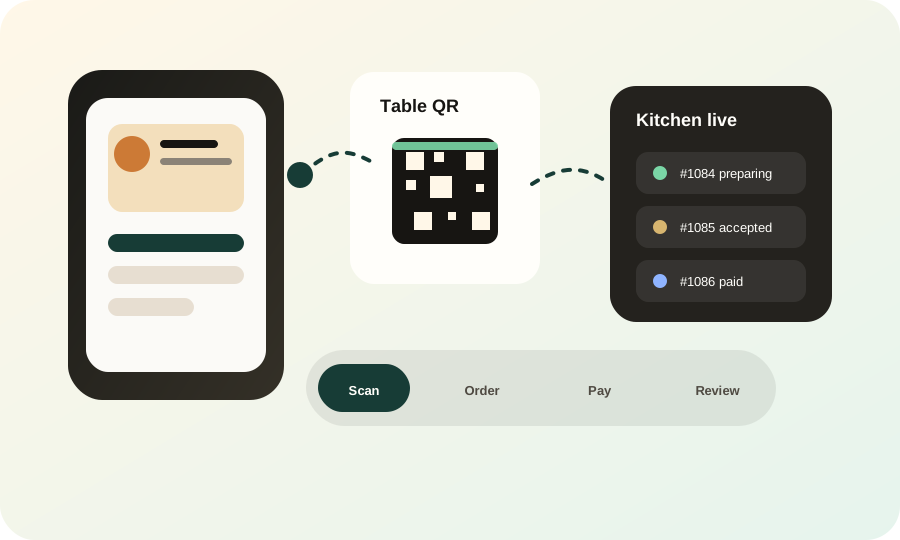
Identify the table automatically and attach each order to the correct service context.
Customers can see their current order and earlier orders from the same menu flow.
New orders and status changes appear in owner and kitchen workflows.
Use owner UPI links or a verified connected Razorpay checkout.
Move orders through accepted, preparing, ready and completed states.
Ask for feedback after the order and connect satisfied customers to Google reviews.
The browser opens the correct business menu and table context.
Items, quantities and notes are validated and priced by the server.
The customer sees progress while the kitchen works from its live board.
No. Customers can order from the public menu without creating an Insylo AI account.
Yes. The business can provide its merchant VPA, and a connected gateway can verify supported online payments.
Yes. Orders feed the owner order board and kitchen workflow, where staff update preparation status.